7 Best LinkedIn Scrapers in 2026 (Free & Paid) + 5 Mistakes to Avoid
Quick Summary: Top 7 LinkedIn Scrapers (2026)
Vayne.io:Best overall for safe, high-volume cloud scraping.
PhantomBuster:Best for complex automation sequences.
Captain Data:Best for operations teams.
Bright Data:Best for large-scale proxies.
Evaboot:Best for cleaning Sales Navigator exports.
Final Scout:Best for smart enrichments.
Apify:Best for coding custom scrapers.
I. Why LinkedIn Data is so powerful
Because 900 million members are so active and update their profile often with tons of details about their experiences, job titles, and job descriptions… LinkedIn is the most accurate and up-to-date source of information about professionals.
However, LinkedIn’s interface only lets you access this data one page at a time, even if you subscribe to one of their paid Sales Navigator plans. It calls for manual data collection one profile at a time, which is not a best practice in terms of list building in 2026.
That’s where LinkedIn scrapers come in. A LinkedIn scraper is a software or API that automates the extraction of publicly available information from LinkedIn (especially Sales Navigator) – things like names, job titles, job descriptions, companies, locations, or URLs – and turns them into structured datasets you can analyze or import into CRM systems.
Used responsibly, LinkedIn scraping can:
Accelerate lead generation for sales teams.
Help recruiters source passive candidates.
Enable marketers and analysts to map industries or competitors.
However, tapping into this power isn’t without risk. LinkedIn’s anti-bot systems, legal frameworks, and ethical boundaries make it easy to go wrong – sometimes fatally for your LinkedIn account. This guide walks you through everything: legality, risks, best practices, and the mistakes that get people banned.
II. Is LinkedIn Scraping Legal? Navigating the Gray Zone
Before you fire up a scraper, it’s critical to understand what’s allowed by law versus what’s allowed by LinkedIn.
LinkedIn’s Stance
LinkedIn’s Terms of Service explicitly prohibit scraping. The platform employs advanced detection systems to identify automated requests and will restrict or ban accounts it suspects of scraping. Even if you are using LinkedIn Sales Navigator manually, your account can get restricted if you do too many actions in a short period.
The hiQ Labs vs LinkedIn Case
In the landmark hiQ Labs v. LinkedIn case (2019 → 2022), still relevant in 2026, the U.S. Ninth Circuit ruled that scraping publicly available data from the open web does not violate the Computer Fraud and Abuse Act (CFAA). In other words, scraping is not a crime as long as you don’t access private or protected areas.
However, the court also acknowledged that LinkedIn can take technical or contractual actions (e.g., blocking IPs, sending cease-and-desist letters) to protect its platform.
Public vs Private Data
This distinction is key:
Public data:Public profiles, company pages, job posts. (Generally legal to scrape, but violates ToS).
Private data:3rd-degree emails, private messages, contact info behind login. (Illegal, unethical, severe risk).
The Bottom Line: Scraping public LinkedIn data is not illegal under U.S. law, but it does breach LinkedIn’s ToS. That means you won’t go to court – but you could lose your account or have your IP blocked. In the EU, scraping business data is generally legitimate interest under GDPR, provided you don't scrape sensitive personal data.
💡 Pro Tip:Choose a tool that is designed around account and data safety (like Vayne.io) to reduce your risk without breaking the law.
III. 5 Fatal Mistakes to Avoid When Using a LinkedIn Scraper
LinkedIn scrapers are powerful – but they can be dangerous if used recklessly. These are the five mistakes that most commonly lead to bans.
Mistake #1 – Scraping Too Fast & Too Much (“The Loud Scraper Problem”)
What it is:Running your scraper to pull hundreds or thousands of profiles per hour.
Why it’s fatal:LinkedIn detects unnatural behavior through rate limits and API patterns. It flags “bot behavior” and can lock or ban your account.
How to avoid it:Throttle your requests with random delays. Stay under 250 profiles/day if you use a basic scraper. Ideally, use a scraper that handles smart timing and can scrape safely up to 15K profiles a day.
Mistake #2 – Using a brand new Sales Navigator Account
What it is: Connecting a brand new Sales Navigator account and immediately scraping high volumes. This is risky because the account hasn't been 'warmed up' yet.
Why it’s fatal:You could get flagged if you use the wrong tool and risk losing your entire account, network and brand equity.
How to avoid it: “Warm it up” gradually over two weeks (views, connections, small scrapes).
Mistake #3 – Scraping Private or Non-Visible Data
What it is:Trying to extract emails from 3rd-degree contacts or behind the login wall.
Why it’s fatal:Violates privacy laws and LinkedIn’s ToS — can trigger legal warnings and instant bans.
How to avoid it:Limit your scraper to publicly available fields. For email enrichment, use a dedicated and compliant API (like Vayne.io’s enrichment feature).
Mistake #4 – Using a Data-Center IP Address
What it is:Running your scraper from a cloud server or VPN whose IP range is publicly known to belong to data centers.
Why it’s fatal:LinkedIn instantly flags and blocks traffic from these ranges.
How to avoid it:Use residential or mobile proxies to appear as a real user. Or choose a cloud scraper that manages safe IP rotation for you.
Mistake #5 – Use Browser Extensions instead of Cloud Scraping
What it is: Browsing extensions is a plug-in you download on your navigartor.
Why it’s fatal:Browsing extensions modify the UI of Linkedin and they hate it even more than automated actions
How to avoid it:Unless you need to scrape a very small volume, use a tool that does not have you install a browser extension
IV. Top LinkedIn Scrapers Compared (2026 Edition)
There are dozens of tools on the market, ranging from dangerous browser extensions to enterprise-grade data pipelines. To help you choose, we compared the top market leaders based on Safety, Volume (Daily Limits), API Access, and Price.
Full disclosure: I am the founder of Vayne.io. I built it to solve the problems I found in the other tools listed below, but I have aimed to review all competitors fairly based on features, pricing and G2 ratings at the time I wrote this page.
Tool Name | Best Use Case | Cloud Scraping vs. Browser Extensions | API Access | Enrichment | Free Tier | Price (Start) | Rating (G2) |
|---|---|---|---|---|---|---|---|
Vayne.io 🏆 | Scale and accuracy (up to 15k profiles/day/account) | Cloud (Safest) | Yes (OpenAPI) | Yes (Native) | Yes, free plan with 200 profiles per month | $29/mo | |
PhantomBuster | Complex Workflows | Cloud | Yes | No (Add-on) | 14 days free trial | $56/mo | |
Captain Data | Enterprise / Ops | Cloud | Yes | Yes | 7 days free trial (after call with sales) | $164/mo | |
Evaboot | Sales Nav Cleaning | Extension | No | Yes | no | $29/mo | |
Final Scouts | Smart e-mail enrichment | Extension | Yes | Yes (native) | yes, free plan with 100 profiles a month | $50/mo | |
Bright Data | Enterprise / IT | Cloud | Yes | Yes | $500/mo+ | ||
Apify | Coders / Devs | Cloud | Yes | No | $49/mo |
Why we included an 'API' column: Most LinkedIn tools are built for manual users—you click a button, you get a Excel or CSV file. But as your agency or sales team scales, clicking buttons doesn't cut it. For instance, Vayne.io API is built for teams that need to automate the boring stuff and developpers who want LinkedIn scraper to JSON with specific webhooks. Unlike competitors that charge $300+ for API access, Vayne provides developer-friendly endpoints (like our URL Checks endpoint to clean your CRM data) starting on our medium plan at $49/mo.
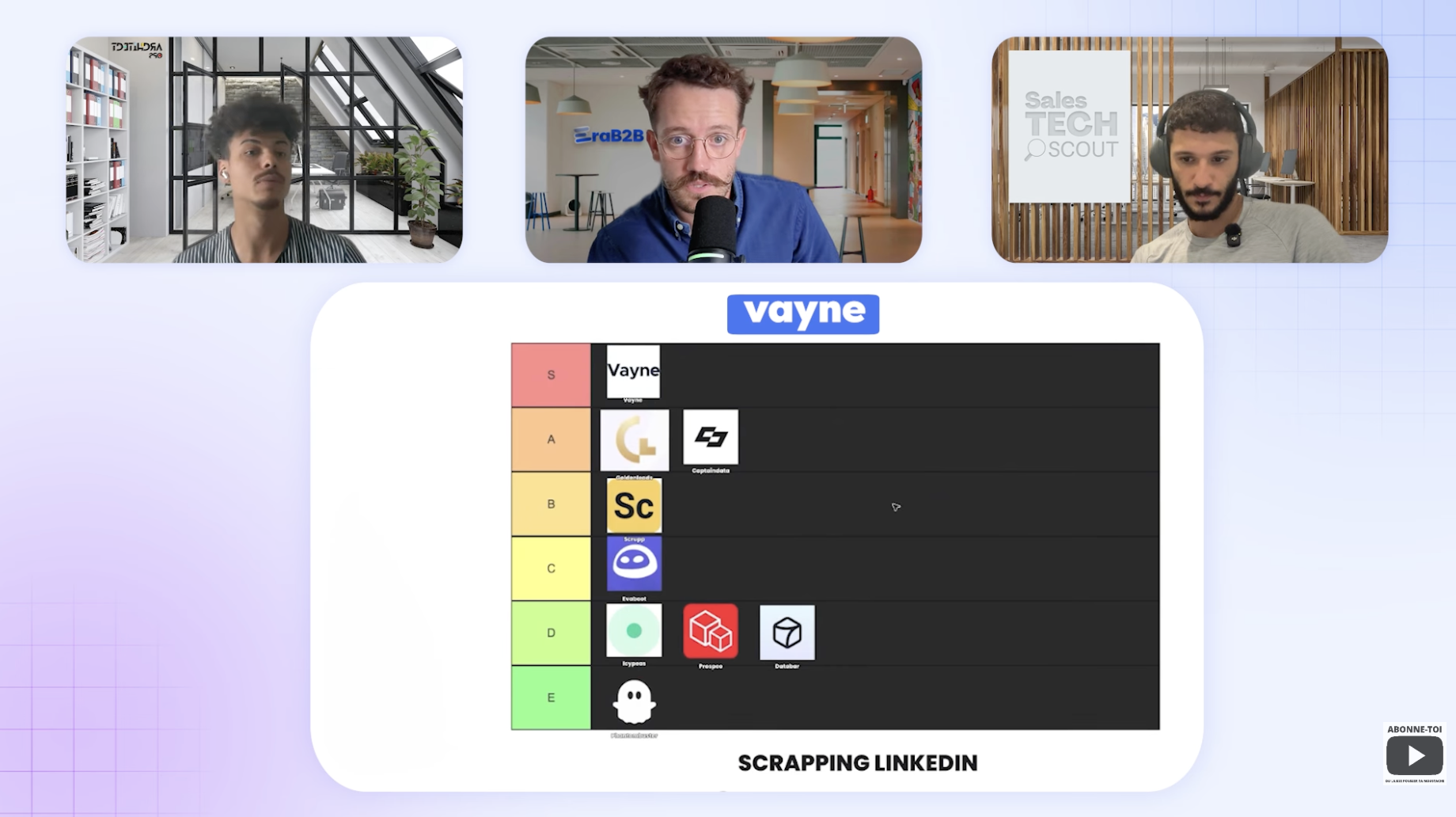
Watch why top sales tech influencers rank Vayne.io best Linkedin Scraper ⬇️
V. Detailed Tool Breakdown
1. The Best for High-Volume & Developers: Vayne.io
If you need to move fast without breaking things, Vayne.io is the modern choice. Unlike older tools that rely on your browser (risky) or charge a fortune for enterprise credits, Vayne uses a proprietary cloud infrastructure.
Safety:High (Cloud-based, no extension needed).
Volume:Safe scaling to 15K profiles per day (market leading).
Best Feature:The API. You can programmatically check if LinkedIn URLs are valid or extract data directly into your app without human interference. Vayne also tells you if you already scraped a profil before and if the profile exactly match or not your search criteria.
Price:Starts at $29/mo to extract up to 10K profiles a month and a free plan with 200 profiles per month.
2. The Best for Complex Workflows: PhantomBuster
PhantomBuster is a veteran in the space. It is excellent if you want to chain actions together (e.g., "Scrape profile" -> "Auto-connect" -> "Send message").
Safety:High (Cloud-based).
Volume:Conservative limits to ensure safety.
Drawback:It can get expensive quickly if you run multiple "Phantoms" simultaneously.
Price:Starts at $56/mo.
3. The Best for Enterprise Operations: Captain Data
Captain Data is a robust platform designed for Operations teams who need to synchronize data across multiple tools. It is powerful but comes with a steep learning curve and price tag.
Safety:Very High.
Best Feature:Deep integrations with CRMs and willingness to handle complex bespoke workflows.
Price:Starts at $164/mo.
4. The Best for Sales Navigator Cleaning: Evaboot
If you live inside Sales Navigator and just want to export your search to a CSV while removing the "junk" leads that LinkedIn often includes, Evaboot is a great Chrome extension.
Safety:Medium (Browser extension).
Best Feature: It automatically detects if a lead in your search results doesn't actually match your filters.
Price:$29/mo.
VI. What about Free Chrome Extensions?
You will often see tools like Magical, Skrapp, or various "Email Finders" on the Chrome Store offering free credits.
Should you use them? Only for casual, very low-volume use (e.g., finding 5 emails a week).
The Risk:Chrome extensions run on your IP address and manipulate the HTML of the LinkedIn page while you are looking at it. LinkedIn's detection scripts can easily spot this code injection. If you care about your account's longevity, we recommend avoiding extensions for bulk scraping.
VII. Conclusion: Which Tool Should You Pick?
For maximum volume & developers:Go with Vayne.io. It offers the highest daily limits (15k) and an affordable API, keeping your account safe via the cloud.
For complex Drip campaigns:Look at PhantomBusteror Expandi.
For complexand enterprise-grade setups:Go for Captain Data or Bright Data.
Ready to start building your lead lists safely? Don't risk your LinkedIn account with outdated extensions. Start your free trial with Vayne.io (no credit card required) and extract your first 200 leads safely in the next 5 minutes.